Stability
Due to the complexity of modern CAD systems, the risk of a failure of the software is high compared to other standard software packages. CATIA V5 or V6 is very complex as well, so the risk is high.
Every system administrator in a CAD environment will know the complaints such as: My CATIA abends frequently. The way to fix the abends is: Find a reproduceable scenario and report the scenario to support in order to get a fix.
Especially changes within the environment (new operating system, new version of the software package, deployment of a functional delivery) can result in a change of the stability. Users will (mostly) tell you: Since the change my CAD is abending frequently - a positive message like: better stability like before will be heard rarely (that's human).
A constant monitoring of the stability will get a sort of baseline, which can be checked over the time.
A measure for stability is the so called Mean Time Between Failures (https://en.wikipedia.org/wiki/Mean_time_between_failures). In a CATIA environment this can be monitored by checking the CATIA log files on a regular basis.
A MTBF of 80h for example will tell you, that a CATIA session is expected to abend once within two working weeks.
Don't trust a staitistics you didn't falke by your own :-). It has to be clear, what can be measured. The log files will give you the infomation how long a CATIA session did last. It will not tell you, if a power user has benn working like hell or an engineer did spent most of the time in calling with suppliers. Anyway, it will give you a baseline. The work and behavior of the engineers will not change. For example the engineers might prefer to be logged in all the time, which will give a big MTBF value.
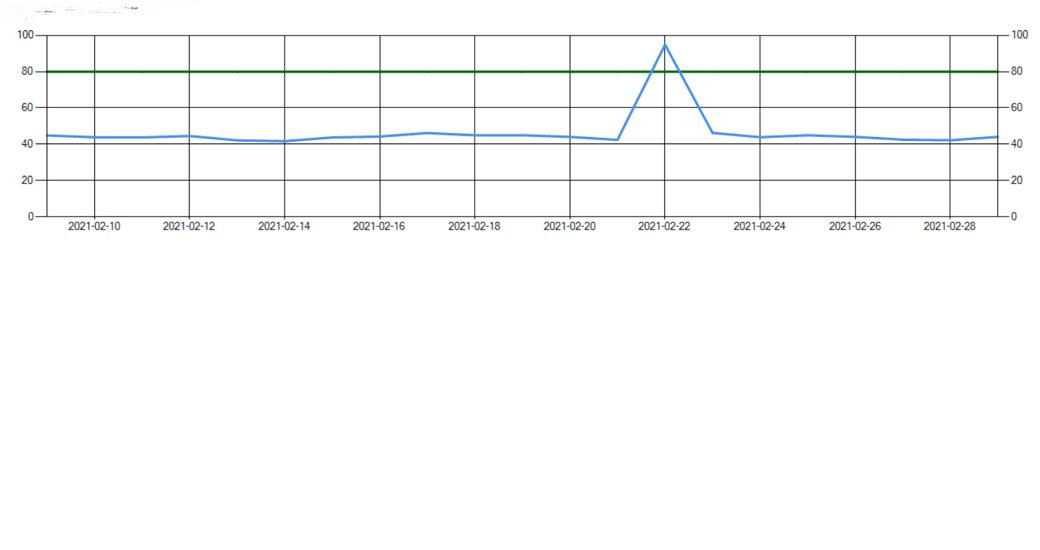
Most important to observe the behavior of the baseline and to take actions in case of major deviations.
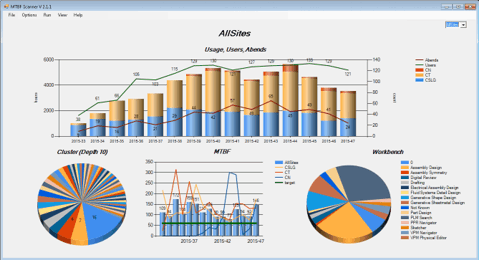
The picture above shows an example of a monitoring result. Similar results can be achieved by using the ELK stack.
The pie on the bottom left side can be a help to find issue-cluster. Abends which are very similar are clustered and trying to increase the stability shouls always start with the biggest clusters.